PDF Splitter Guide: How to Split PDF Files Online
Learn how to split PDF files online, extract selected pages, and divide large documents into smaller PDF files. This guide explains how to use a PDF Splitter and organize your documents more efficiently.
What Is a PDF Splitter?
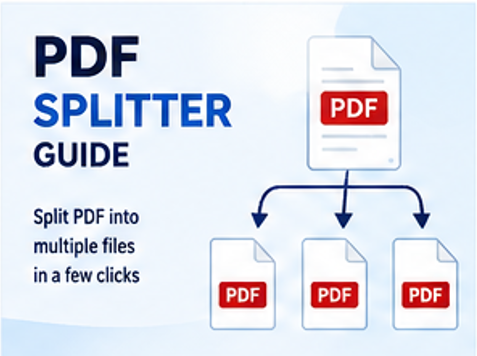
A PDF Splitter is a tool that divides a PDF document into smaller files or extracts selected pages from an existing PDF. It can be useful when you need only part of a long document for sharing, printing, uploading, or storing.
Depending on the tool, you may be able to select individual pages, specify page ranges, or divide a document into multiple PDF files.
Why Split PDF Files?
Large PDF documents are not always convenient to share or manage. Splitting a PDF allows you to work with only the pages you need.
- Extract specific pages from a large PDF.
- Share only the relevant part of a document.
- Separate chapters or sections into individual files.
- Create smaller documents for uploading or storage.
- Organize lengthy reports and documents more efficiently.
How to Split PDF Files Using ConvertNova
You can split a PDF online with ConvertNova by following these steps:
- Open the PDF Splitter tool.
- Upload the PDF document you want to split.
- Select the pages or page ranges you want to extract.
- Review your selected pages.
- Click Split PDF.
- Download the resulting PDF file or files.
Common Ways to Split a PDF
The best splitting method depends on how you want to organize your document. Common approaches include:
- Extract individual pages: Select specific pages and create a separate PDF.
- Extract a page range: Choose a continuous range such as pages 5–10.
- Separate sections: Divide a long document into smaller sections or chapters.
- Create smaller files: Break a large document into multiple manageable PDF files.
Benefits of Using an Online PDF Splitter
- Split PDF documents directly from a web browser.
- Extract only the pages you need.
- Process documents without installing desktop software.
- Simplify sharing of selected document pages.
- Organize lengthy PDF documents into smaller files.
- Use the tool across supported desktop and mobile devices.
Who Uses PDF Splitter Tools?
PDF splitting can be useful for students, teachers, researchers, office professionals, businesses, lawyers, accountants, freelancers, and other users who regularly work with multi-page documents.
For example, a student may extract selected pages from a textbook, while a business may separate sections of a report before sending them to different recipients.
Tips for Better PDF Splitting Results
- Check the page numbers before starting the split.
- Preview your selected pages when possible.
- Use clear filenames for the resulting PDF files.
- Keep the original PDF if you may need it later.
- Check the final files before sharing or uploading them.
- Compress the resulting PDFs if their file sizes are too large.
Frequently Asked Questions
Conclusion
Splitting a PDF is useful when you need to extract selected pages, separate sections, or divide a large document into smaller files. A PDF Splitter can make these tasks easier without requiring traditional PDF editing software.
If you need to make additional changes, you can also use ConvertNova's PDF Merger, PDF Page Remover, PDF Rotator, PDF Crop, or PDF Compressor.
Split PDF Now